bruno@cabado:~$ cat projects/shortener.md
Shortener
- Full Stack
- DevOps
- Self-hosted
Self-hosted URL shortener with click analytics, custom aliases, and Docker-based deployment on personal infrastructure.
Context
Most URL shorteners are SaaS products tied to third-party platforms. Shortener was built to run entirely on my own infrastructure — no Vercel or Supabase dependencies — as a practical tool I could deploy on Proxmox and operate long-term with full control over data and uptime.
What I built
Shortener includes:
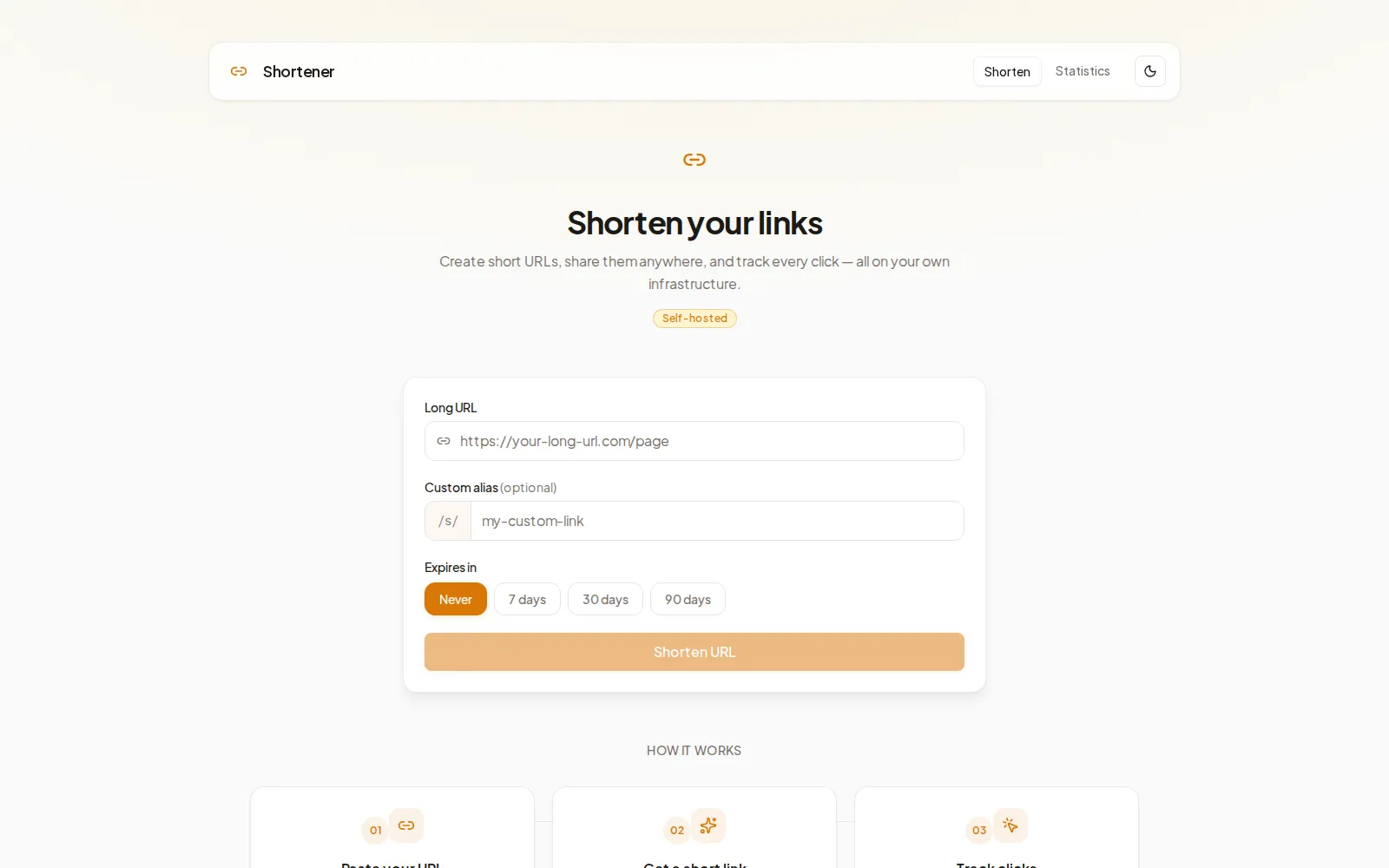
- A home page to shorten URLs with optional custom aliases and expiration (7/30/90 days)
- QR code generation from the result card or stats table
- URL title preview while typing a destination link
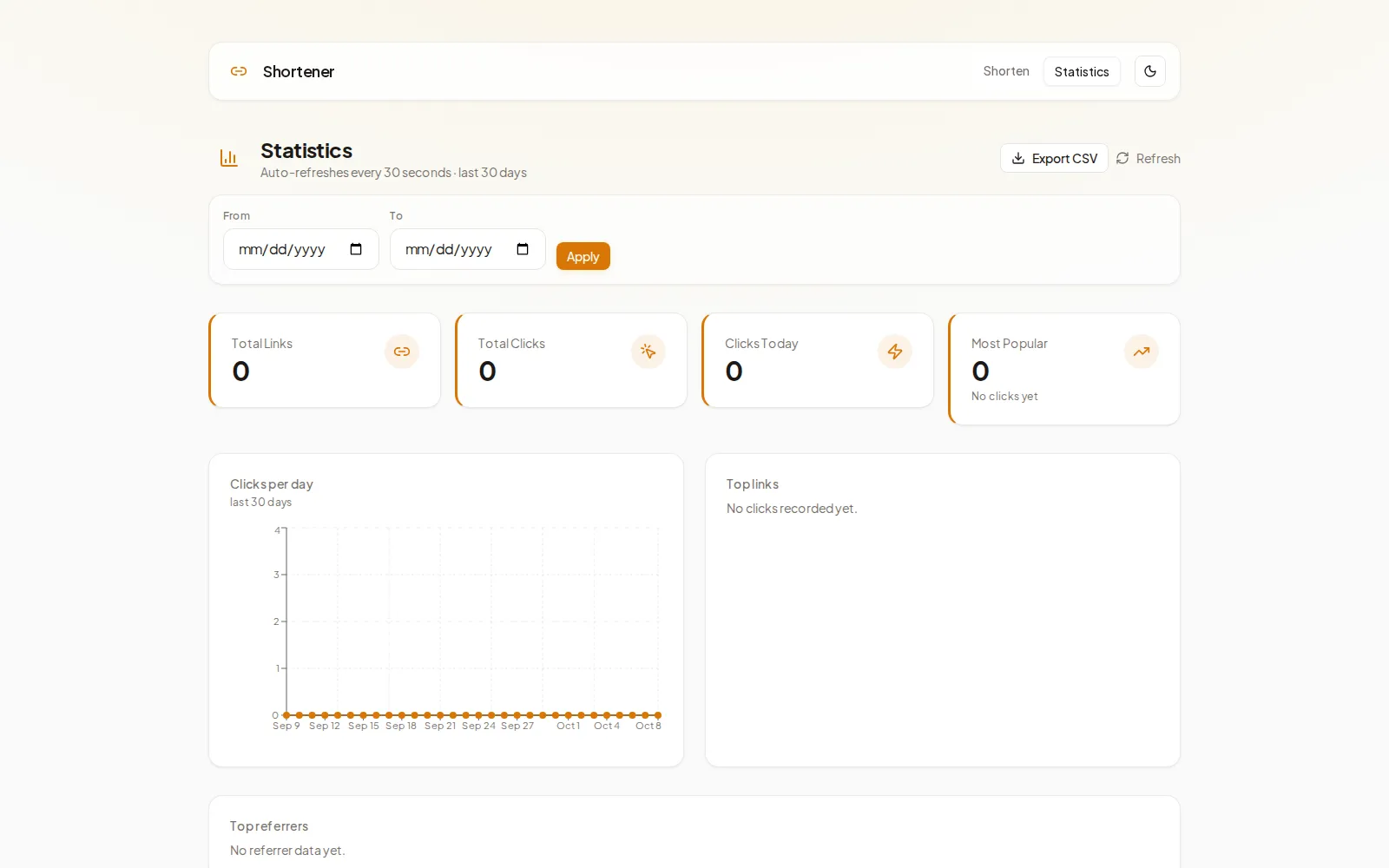
- A stats dashboard with searchable link table, CSV export, and delete actions
- Analytics for daily clicks, top links, top referrers, and configurable date ranges
- Light/dark theme toggle across the UI
Technical approach
I implemented a split architecture: a Next.js frontend with Tailwind CSS and Recharts, backed by a FastAPI API with SQLAlchemy and PostgreSQL. The stack runs via Docker Compose with automatic SQL migrations on API startup, rate limiting on create/delete/redirect endpoints, and optional ADMIN_API_KEY protection for write operations. Operational scripts cover backup, restore, and zero-downtime upgrades, while GitHub Actions runs lint, tests, and Docker builds on every push.
Outcome
Shortener is a production-ready self-hosted utility rather than a prototype. It combines a polished shortening workflow with meaningful click analytics, and the Docker-first design makes it straightforward to deploy, upgrade, and maintain on personal hardware without sacrificing features found in hosted alternatives.
## Project gallery
bruno@cabado:~$ mail hi@brunocabado.com# I share work, research and product experiments in AI systems
$ send-message$ wget cv.pdf$ open linkedin$ open github
© 2026 Bruno Cabado · designed & developed in Galicia with Astro