bruno@cabado:~$ cat projects/octapp.md
OCT Vision
- Computer Vision
- MedTech
- Python
- Tailwind CSS
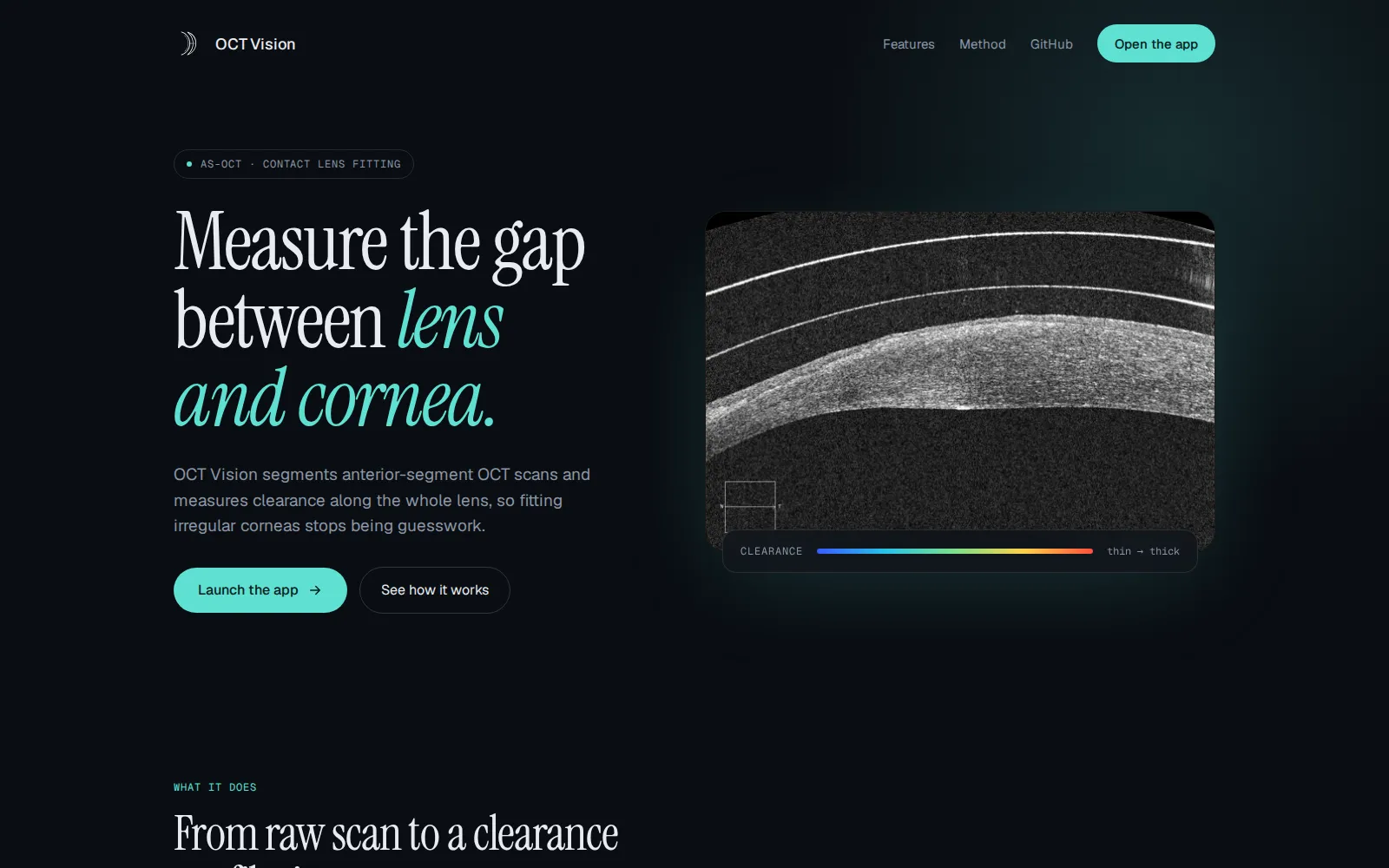
Medical imaging web app for AS-OCT analysis, automating cornea-contact lens segmentation and clearance metrics to support safer fitting decisions.
Context
Contact lens fitting on irregular corneas can require precise interpretation of AS-OCT scans, but manual measurements are repetitive and sensitive to operator variation. OCT Vision was built to provide a faster and more consistent analysis workflow for clinical evaluation and training scenarios.
What I built
OCT Vision provides:
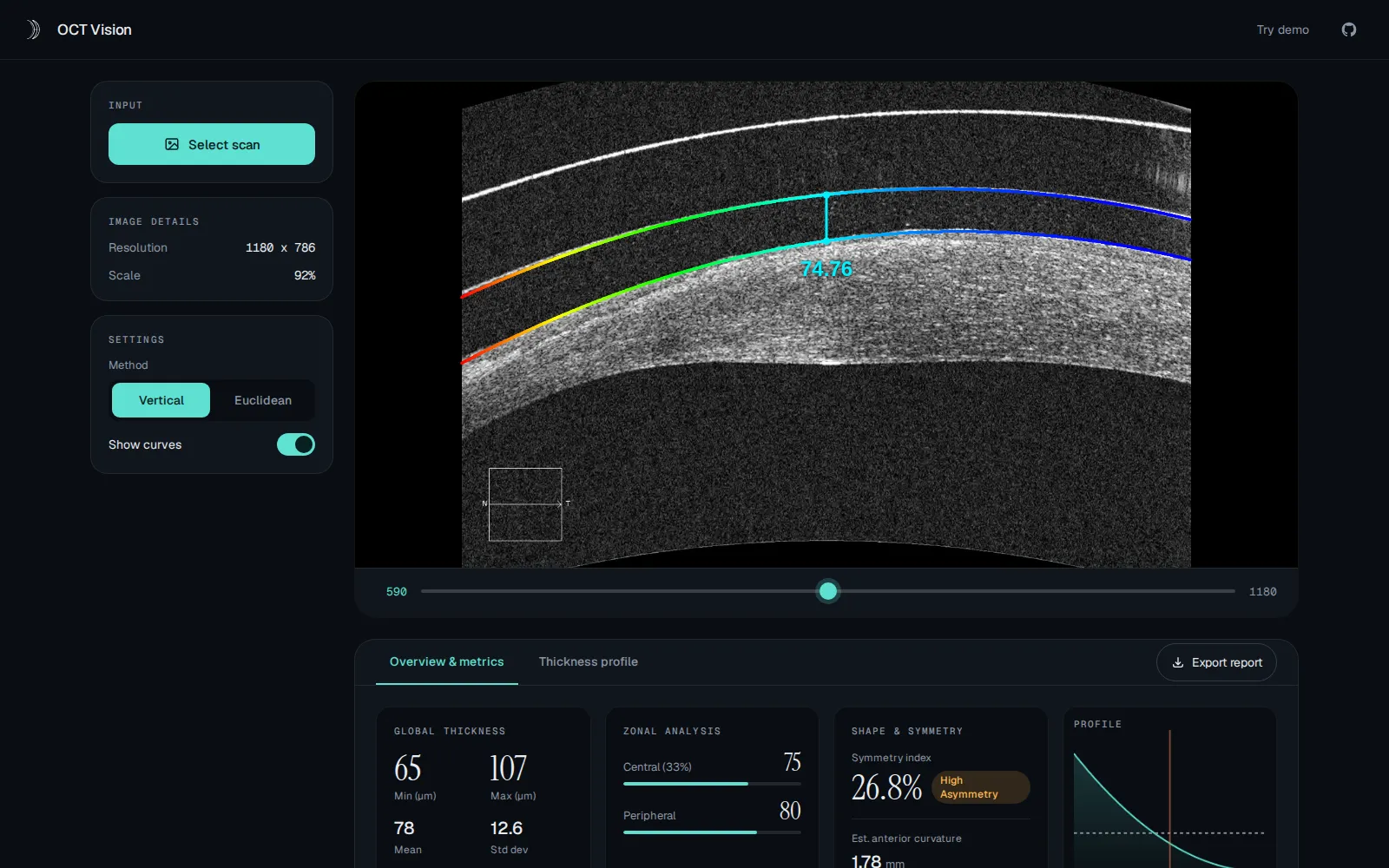
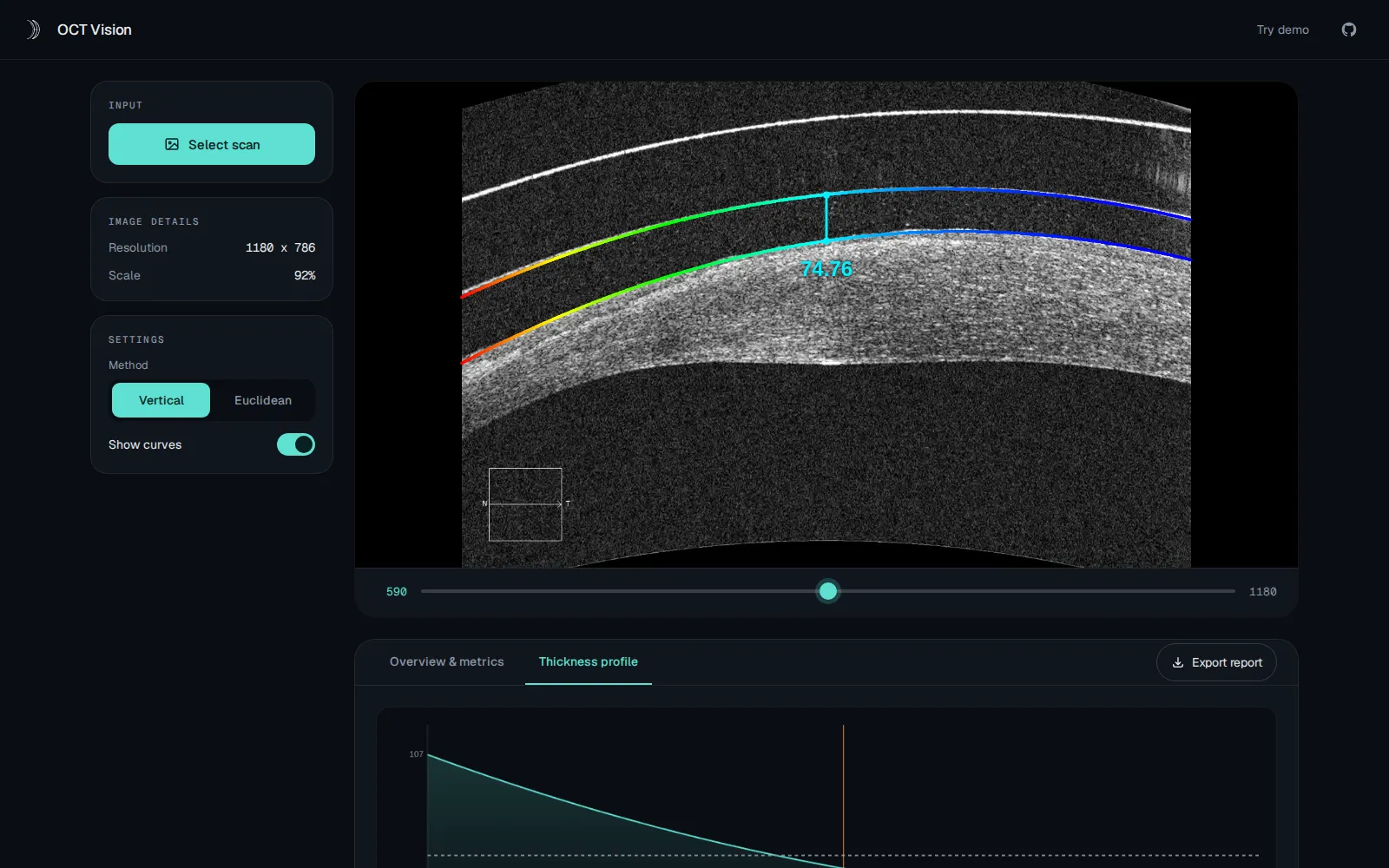
- A browser-based analysis workspace to inspect scans and overlay detected boundaries
- Automated extraction of cornea/contact lens curves from AS-OCT images
- A metric dashboard with min/max/mean thickness, standard deviation, zonal analysis, and symmetry signals
- Dual measurement modes (vertical and Euclidean clearance) to support different fitting perspectives
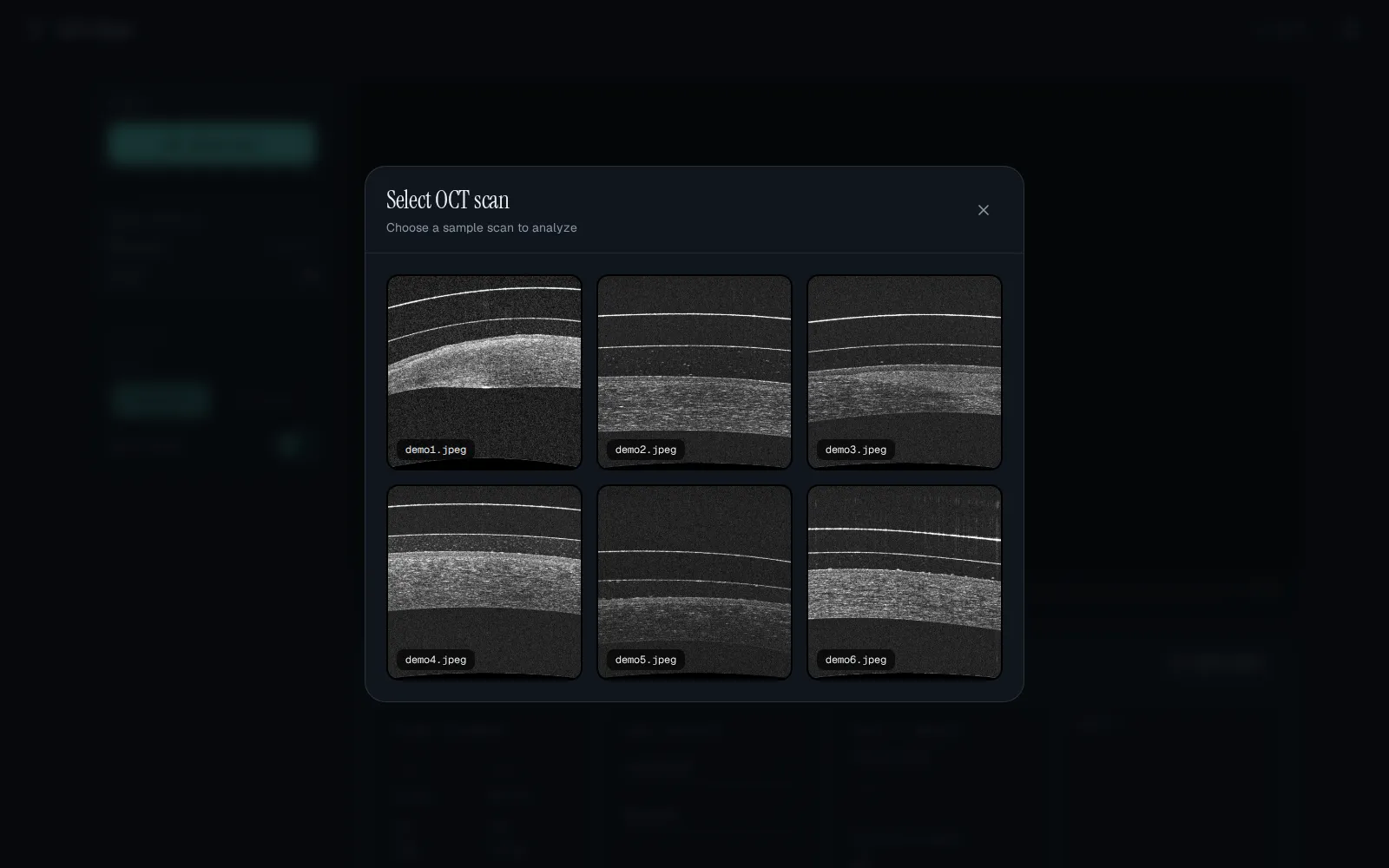
- A demo-image library to quickly validate behavior across different case patterns
Technical approach
The backend uses Flask to orchestrate image analysis requests and return structured measurement payloads to the frontend. The computer-vision pipeline combines CLAHE enhancement, morphology filtering, Canny edge detection, contour grouping, and polynomial curve fitting to recover upper/lower surfaces. On top of these curves, geometric services compute vertical and minimum Euclidean distances point-by-point. The frontend (vanilla JavaScript + TailwindCSS) renders overlays, live stats, tabbed visualizations, and report export flow. Runtime packaging supports both local execution and containerized deployment with Gunicorn.
Outcome
The project evolved into a practical medtech prototype that turns complex scan interpretation into an interactive and reproducible workflow. It demonstrates how CV-based segmentation and clinically oriented metrics can be delivered in a lightweight web product, improving consistency and reducing manual analysis effort.
## Project gallery
bruno@cabado:~$ mail hi@brunocabado.com# I share work, research and product experiments in AI systems
$ send-message$ wget cv.pdf$ open linkedin$ open github
© 2026 Bruno Cabado · designed & developed in Galicia with Astro